 Journalscope
Methodology note · for the audit file
How Journalscope selects and scores journals
Journalscope is a set of fixed, documented rules applied to the ledger export you load. It does not use machine learning, it does not decide what is inappropriate and it does not replace your testing: it gives you a complete, reproducible population, a risk-ranked list and a selection you can explain to a reviewer or an inspector.
1. The journal population
- Input: a general ledger or journal export (CSV or Excel; column names from Xero, QuickBooks, Sage 50/200, NetSuite, Dynamics, SAP and IRIS are recognised, and you confirm or change every column) and, optionally, a trial balance with opening and closing balances.
- Rows missing a journal number, a readable posting date, an account or a numeric amount are not tested; they are listed by row number with the reason.
- The population is every remaining line with a posting date inside the period you set (by default, first to last posting date in the file). Lines outside the period are excluded and counted on the Summary sheet.
- Lines are grouped into journals by journal number. For each journal: earliest posting date, latest entry date, users, approvers, sources, accounts, total debits and credits.
- The Summary sheet records total debits, total credits and their difference, first and last posting date, number of users and accounts, the file names and the SHA-256 of each file.
2. Completeness check: trial balance roll-forward
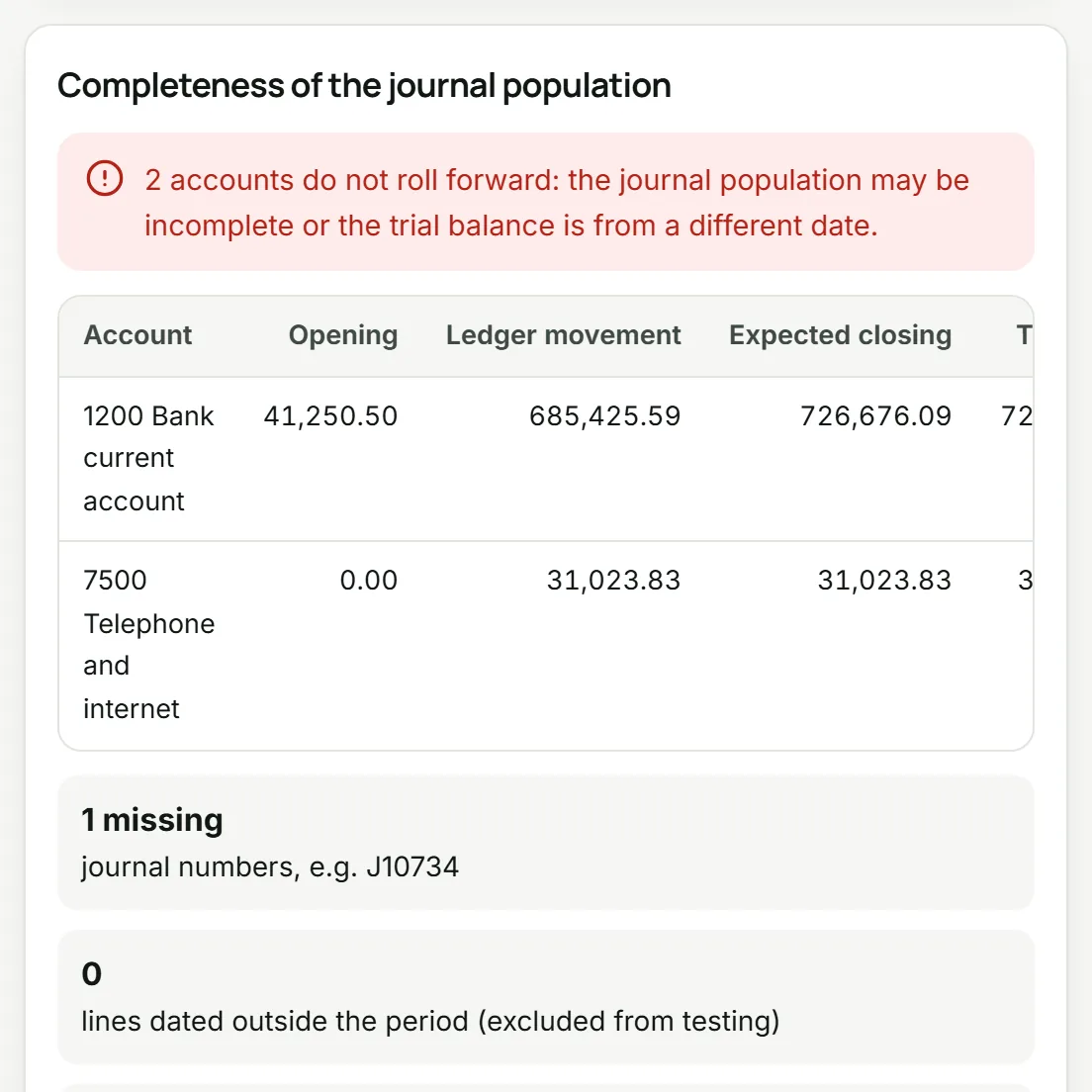
With a trial balance, every account is rolled forward: opening balance + ledger movement in the period = expected closing balance, compared with the closing balance in the trial balance. An account agrees when the difference is within 0.01 (settable).
| Status | Meaning |
|---|---|
| agrees | Opening + movement equals closing within the tolerance. |
| does not agree | The difference is larger than the tolerance: the extract may be incomplete, or the trial balance is from a different date. |
| in ledger, not in trial balance | The ledger has movement on an account the trial balance does not list. |
| TB closing balance is blank or not a number | The closing figure could not be read, so the account is never reported as agreeing. |
| TB opening balance is not a number | The opening figure could not be read. A blank opening balance counts as zero (a new account). |
The conclusion is written on the Summary sheet: either every account rolls forward ("the journal population is complete for these accounts") or the number of accounts that do not. Without a trial balance the workpaper says completeness was not tested by roll-forward. Two further checks: journal numbering gaps (for each number prefix with at least five numbered journals, every missing number range is listed) and population debits = credits.
3. Criteria and risk score
Each journal is tested against 19 criteria drawn from the characteristics of inappropriate journal entries in ISA 240 (32(a) and its application material), AU-C 240 and PCAOB AS 2401. A criterion is applied only when the export has the field it needs; the Criteria sheet says which were applied and which were not, and why. The risk score of a journal is the sum of the weights of the criteria it meets.
| Id | Criterion and rule (defaults) | Weight | Characteristic it targets | Needs in the export |
|---|---|---|---|---|
| C01 | Posted at a weekend Posting date (or entry date) falls on a Saturday or Sunday. | 1 | Entries made outside normal working patterns, when review is less likely. | Posting date (entry date too, when present) |
| C02 | Posted on a public holiday Posting or entry date is a public holiday in the chosen calendar or one of your own non-working days. | 1 | Entries made outside normal working patterns, when review is less likely. | A holiday calendar or your own non-working days |
| C03 | Round amount A line amount is a multiple of 1,000 and at least 1,000 (both settable). | 1 | Round numbers are a recognised characteristic of estimates and manipulated entries. | Amount |
| C04 | Amount ending in 999 A whole line amount of 999 or more ends in 999. | 1 | Consistent ending numbers just below an authorisation limit. | Amount |
| C05 | Large journal (at or above your threshold) Total debits of the journal are at or above the threshold you set (off until you set one). | 1 | Entries large enough to be material on their own. | A large-journal threshold you set |
| C06 | Entered after period end, dated in the period Entered after the period end but dated inside the period. | 3 | Post-closing entries made in preparing the financial statements. | Entry date |
| C07 | Entered long after its effective date Entered more than 30 days after its posting date (settable). | 2 | Back-dated entries that change a period already reported internally. | Entry date |
| C08 | Posted by a user who seldom posts journals The user posted 5 journals or fewer in the period (settable). | 2 | Entries made by individuals who typically do not make journal entries. | User |
| C09 | No user recorded The user field is empty while other journals have one. | 2 | Entries that cannot be traced to a person. | User |
| C10 | Hits a seldom-used account An account used on 3 lines or fewer in the period (settable). | 2 | Entries to unrelated, unusual or seldom-used accounts. | Account |
| C11 | Keyword in the narrative A line narrative contains one of your keywords. | 1 | Narratives that point to adjustments, corrections or instructions from management. | Narrative and a keyword list |
| C12 | No narrative on any line Every line of the journal has an empty narrative. | 1 | Entries with little or no explanation or description. | Narrative |
| C13 | Debits and credits do not balance Debits and credits of the journal differ by more than 0.01. | 3 | One-sided entries: the ledger or the extract is incomplete or altered. | Amount |
| C14 | Suspense or clearing account An account whose name reads like suspense, clearing, unallocated, unreconciled, mispostings, holding, wash, plug, difference or rounding. | 1 | Accounts used to park amounts without a clear counter-entry. | Account names (ledger or trial balance) |
| C15 | Posted outside working hours Entered between 22:00 and 06:00 (settable). | 1 | Entries made late at night or early in the morning. | Entry or posting time |
| C16 | Same person posted and approved The same person posted and approved the journal. | 2 | No segregation of duties between preparer and approver. | User and approver |
| C17 | Manual journal Source or journal type reads like a manual or general journal, an adjustment or a top-side entry. | 1 | Manual entries bypass the controls built into the accounting system. | Source or journal type |
| C18 | Possible duplicate of another journal Another journal has the same posting date, total debits and set of accounts. | 1 | Duplicated entries that inflate balances. | Posting date, amount, accounts |
| C19 | Near period end Dated in the last 5 days of the period (settable). | 1 | Entries recorded at the end of the reporting period (ISA 240.32(a)(ii)). | Posting date and period end |
Default keyword list: adjust, adjustment, correct, correction, error, reverse, reversal, reclass, plug, suspense, write off, write-off, writeoff, misc, sundry, per md, per ceo, per cfo, per fd, director, top side, topside, override, bonus, per director, do not. Holiday calendars: UK: England and Wales bank holidays; Ireland public holidays; US federal holidays; No public holidays (weekends only); you can add your own non-working days. Every threshold, the calendar and the keyword list are recorded on the Summary sheet of the workpaper.
4. Selection: key items plus an unpredictable element
- Key items: journals with a risk score of 4 or more, highest score first (ties: more criteria, then larger debits, then journal number), up to 40 journals. Both numbers are settable.
- Unpredictable element: 5 journals drawn at random from the rest of the population with a seeded generator (mulberry32; default seed 240). The same file, settings and seed always select the same journals, so a reviewer can re-perform the selection.
- Every flagged journal is listed on the Flagged journals sheet with each criterion it met and why (for example "entered 2026-10-07, 7 days after period end, dated 2026-09-30").
- The Sample sheet lists the selected journals with empty columns for your work: evidence inspected, authorised (Y/N), business rationale, exception, workpaper reference. The Sample lines sheet gives every line of each selected journal with its row number in your file.
- A first-digit (Benford) profile of amounts of 10 or more is included as context only, with Nigrini's mean absolute deviation bands; it is not a selection criterion.
5. What Journalscope does not do
- It does not test the journals: inspecting support, authorisation and business rationale, and concluding on exceptions, is your work (Sample sheet and section 5 of the Summary sheet).
- It does not assess the risk of material misstatement due to fraud or choose your response; the criteria, thresholds and sample size are your judgement.
- It only sees the export you load. It cannot tell whether the export itself came from the right system, entity and period: that is the roll-forward to a trial balance you have agreed to the financial statements, plus your own enquiries.
- It does not cover adjustments made outside the general ledger, such as consolidation or top-side adjustments in the financial statements close process; test those separately.
- It does not connect to the client's accounting system, and it sends no ledger data anywhere: the analysis runs in your browser.
- It applies fixed rules; it does not learn from your files or use AI models.
6. How to document reliance (ISA 240, ISA 500, ISA 230)
ISA 240.32(a) requires procedures to test the appropriateness of journal entries recorded in the general ledger and other adjustments made in preparing the financial statements, including entries at the end of the reporting period. ISA 500.9 requires you to evaluate whether information produced by the entity is sufficiently reliable for your purposes, including its accuracy and completeness. ISA 230 requires the file to show what was done, by whom and the evidence obtained. (Paragraph references are to ISA 240 and ISA 500 before their latest revisions, which take effect for later periods; check them against the versions you apply.) A file that relies on Journalscope usually holds:
- Source of the data (ISA 500.9): who extracted the ledger and trial balance, from which system, entity and period, on what date; the file names and SHA-256 values shown on the Summary sheet.
- Completeness: the roll-forward conclusion and its exceptions (Completeness sheet), the numbering gaps and the debits = credits check, with your follow-up of any exception.
- Criteria and parameters: the Criteria sheet (applied or not, and why), each threshold and your reason for it, for example a large-journal threshold set at performance materiality.
- Selection: the Sample sheet with the key-item rule, the random seed and your completed evidence columns.
- The tool: this page saved as a PDF with the date of your run, and the engine checksums from the security page, so a reviewer knows exactly which rules were applied.
- Conclusion: section 5 of the Summary sheet, completed and reviewed.